
Running the month tells you about this month. Every so often it helps to step back and look at the year. Insights is that step back. Where things stand is the opposite: a short list of what needs you right now.
Twelve months at a glance
The Insights page (in the menu under your name, or under More on a phone) shows the last year in a few honest charts.
Debt balance. Your total open balance at the end of each month. Principal only, so it shows the debt itself, not the interest noise. On a good year, it's a line that slopes the right way.
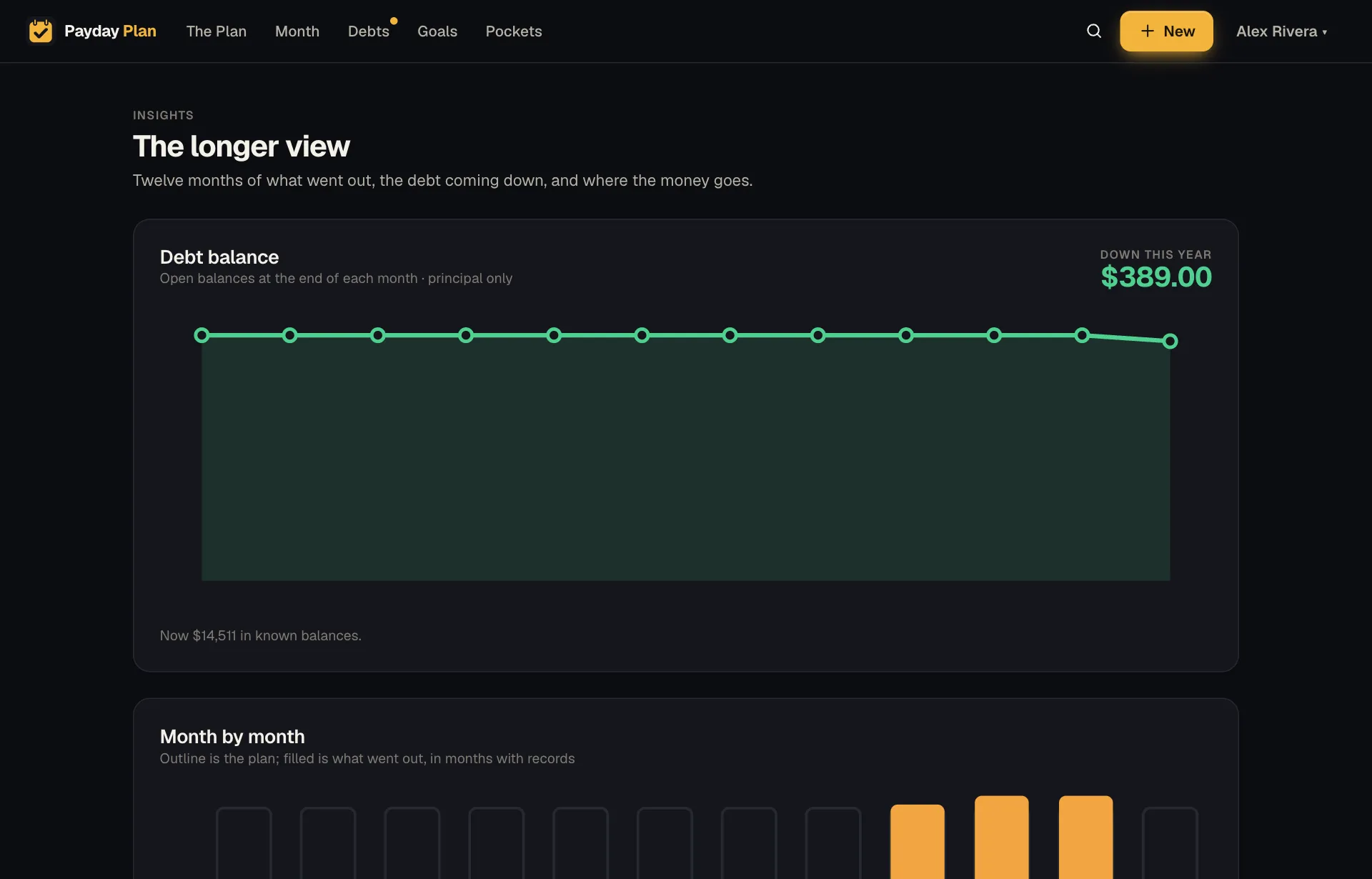
Month by month. For each month, what you planned and what actually came out. Months that ran over stand out, and so do the months that ran under.
Where it goes. This month's plan broken down by pocket. Mortgage, utilities, groceries, kids, savings, whatever pockets your household uses. Useful when someone asks "where does it all go?" and you'd like a better answer than a sigh.
Biggest changes. Bills whose last three paid months changed most against the three before. That's the insurance renewal that jumped, or the electric bill that settles down every spring.
Emergency fund. Three months and six months of the plan's essential spending (your reserve and spending pockets), next to what your emergency pocket actually holds. If the plan needs $6,000 a month, three months is $18,000. (Example figure.) You'll see where you are against both marks. It measures the savings pocket with “emergency” in its name, using the balance you enter under Holds today when you tap that pocket on the Pockets page.
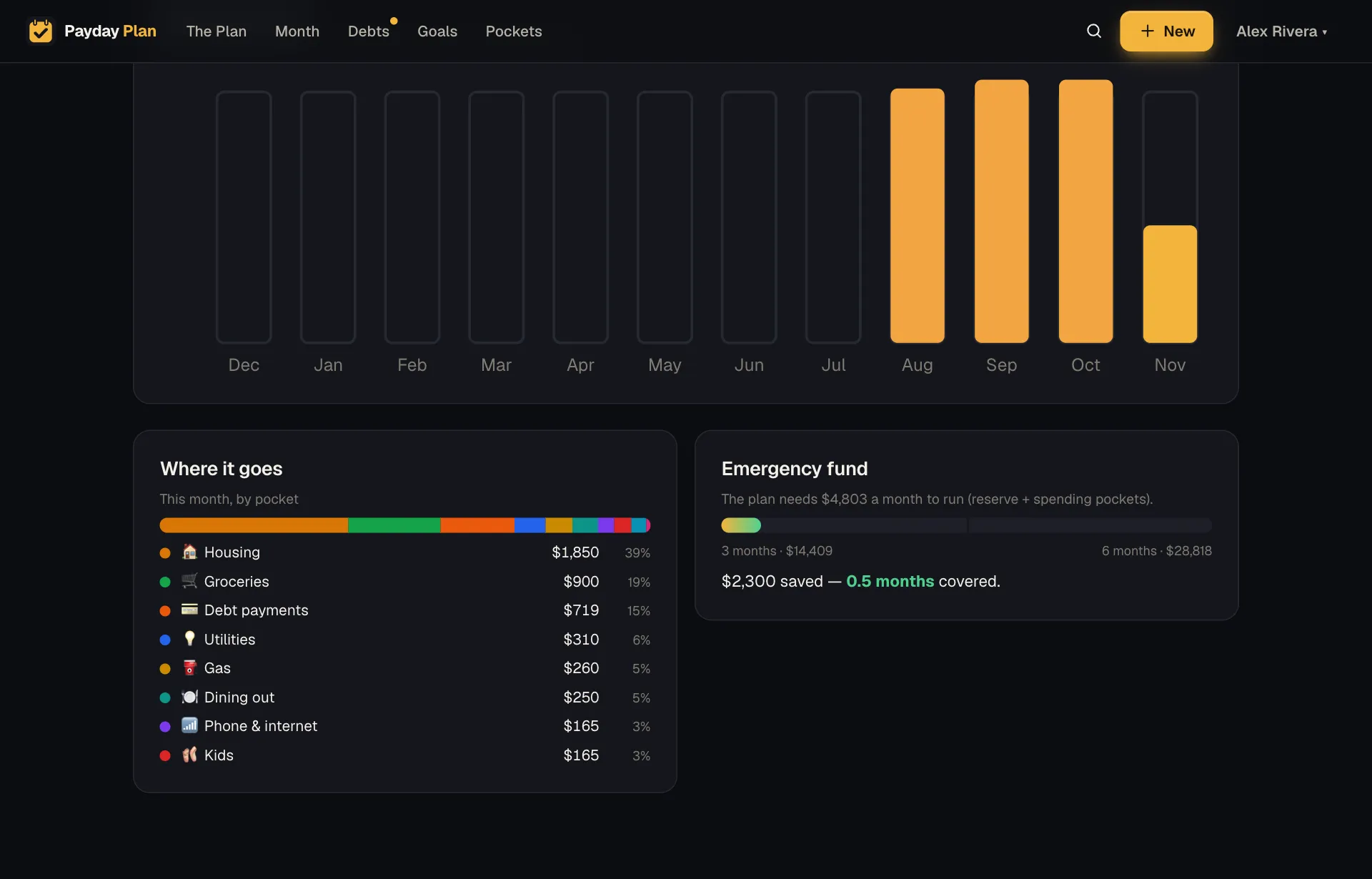
It's a picture, not a verdict. How big an emergency fund your household needs is your call. The page just keeps the numbers in view.
Where things stand
On The Plan, at the top, there's a card that starts with one line about how the month is going:
On track, with a few things to look at
8 of 23 bills paid for November, $2,140 to go.
Below that, each thing that needs you, worst first, and each with a button that takes you straight to where it's fixed. Things like:
- A 0% promotion that runs out before the balance does.
- A bill that's past its due date and isn't on autopay.
- A debt that's paid off, with its freed payment waiting for a decision.
- A bill that came in by email and is waiting for a yes or no.
- Paychecks that are short of the plan.
- A goal that's falling behind, and by how much a month.
- A cancel-by date coming up.
- A bill that went up.
- Setup steps still left.
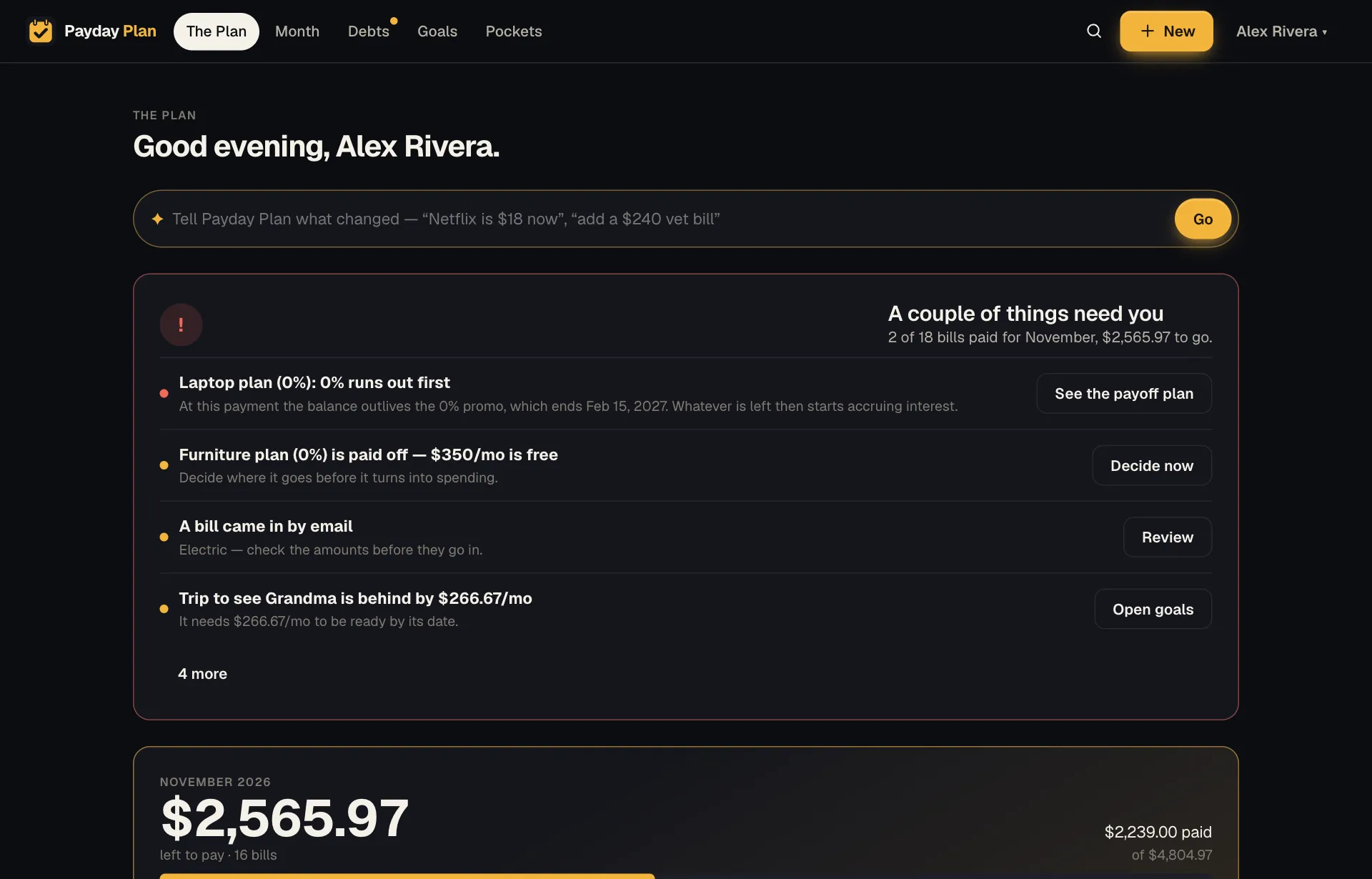
Money at risk comes first, then things worth doing this week, then gentle nudges. When there's nothing left on the list, it says you're on track.
Try it: Open The Plan, read the top line, and fix the first item on the list. That's often the only money admin the week needs.
Built from the same numbers
Insights and Where things stand aren't a separate system with their own math. They're built from the same figures as the Month page and The Plan, so they can't disagree with each other. A month's planned amounts stay as they were when you paid them, so changing a bill's plan today doesn't rewrite last spring.
Better numbers over time
Insights gets more useful the more real numbers it has. Recording what bills actually came to, through ticks, forwarded bill emails or the month-end recap, makes plan-vs-actual meaningful. After three finished months with real amounts, The Plan will offer the average in place of an estimate, in one click.