
Small monthly charges are easy to agree to and easy to forget. Eight dollars here, fifteen there, and somewhere along the way the household is paying for three streaming services and an app nobody has opened since March.
The Subscriptions page puts them all in one place.
One list, the yearly number included
Mark any bill as a subscription (in the bill's form, open More and tick It's a subscription) and it shows up here, with:
- The monthly cost.
- The yearly cost. The monthly amount times twelve. It's the number that makes you sit up.
- The renewal day.
- Whether it's on autopay, and which pocket pays it.
At the top, the totals: what all of it costs A month, and what it costs A year.
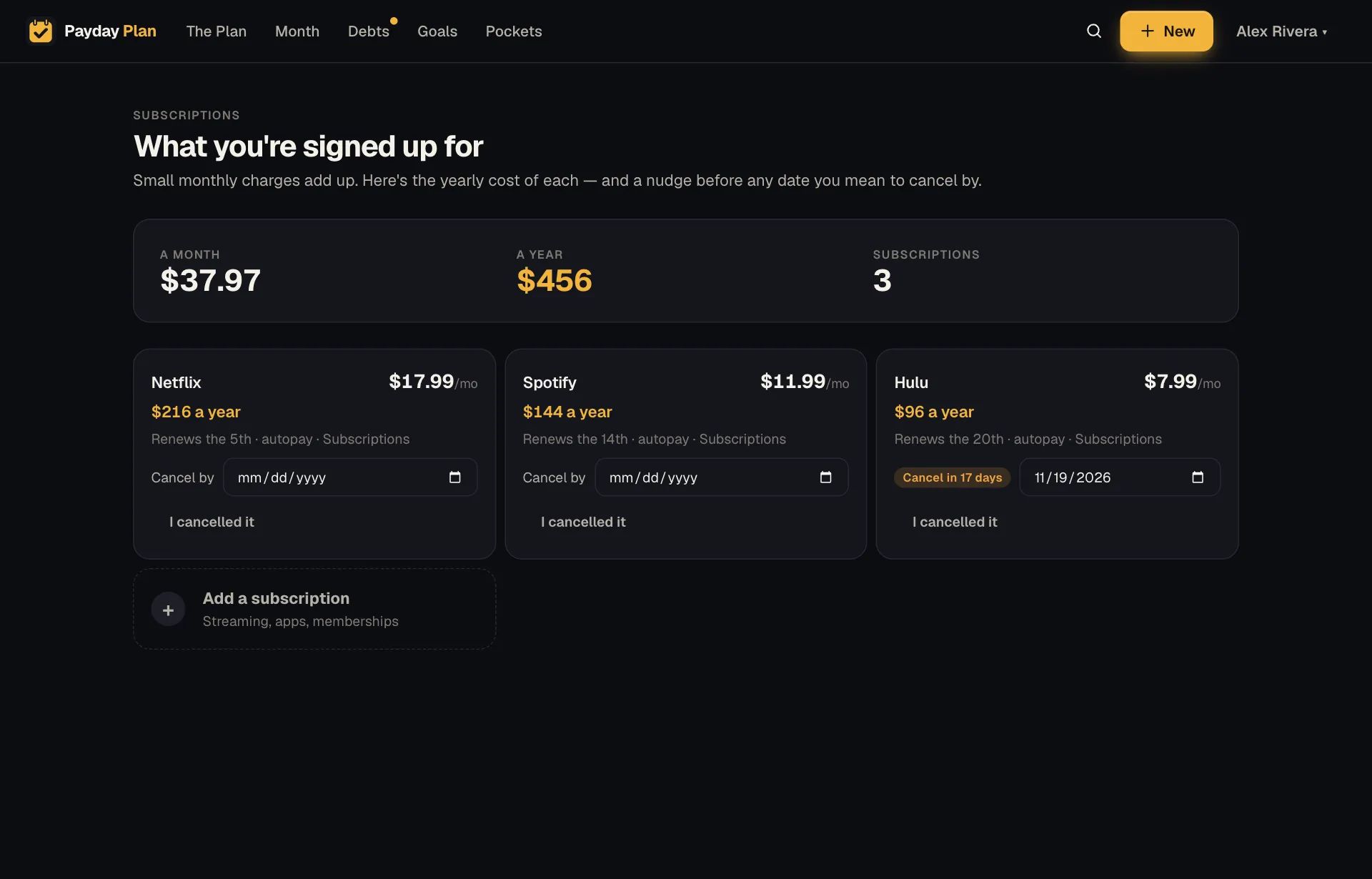
You'll find it in the menu under your name at the top right, or under More on a phone. Add a subscription at the end of the list opens a bill form that's already marked as one.
A $17.99 streaming plan is easy to ignore. $215.88 a year is a different conversation. (Example figures, but go ahead and do the math on yours.)
Price rises, flagged
Subscriptions have a habit of creeping up. Payday Plan keeps 12 months of history for every bill, and when the latest paid month comes in above its usual amount, it's flagged. Tap the bill on the Month page to see the history and when it changed.
Then you can decide: update the plan, call and ask, or cancel.
Netflix went up to $18.
Typing that on The Plan updates the bill without opening a form.
Cancel-by dates
Free trials and "I'll cancel after this season" both need a date. Pick one in the Cancel by box on any subscription's card and:
- The card counts down as the date gets close ("Cancel in 17 days").
- It's on your calendar, if you've added the private calendar link.
- You get a reminder the day before, so you can cancel while it still counts.
When you've done it, tap I cancelled it. The subscription leaves the plan, and you'll see what that's worth a year.
Try it: Set a cancel-by date on the subscription you're least sure about. If you still want it when the reminder arrives, just clear the date.
Where subscriptions live
Subscriptions are ordinary bills with a flag on them, so everything else still works:
- They appear on the Month page with every other bill, and you tick them the same way (or let autopay ticking and the bank connection handle them).
- They count toward the pocket that pays them.
- They show up in Insights if they're among the bills that moved most.
- You can skip one for a month, or change it in plain words.
Why it's its own page
Most subscriptions are fine. Some are worth keeping and some were worth it once. Seeing the full list, with yearly costs side by side, makes those calls easier to make together, on purpose, instead of noticing on a bank statement six months later.