
Most households have one person who "does the bills" and one person who asks about them. Payday Plan is built for both of you to use the same plan, so the bills stop living in one person's head.
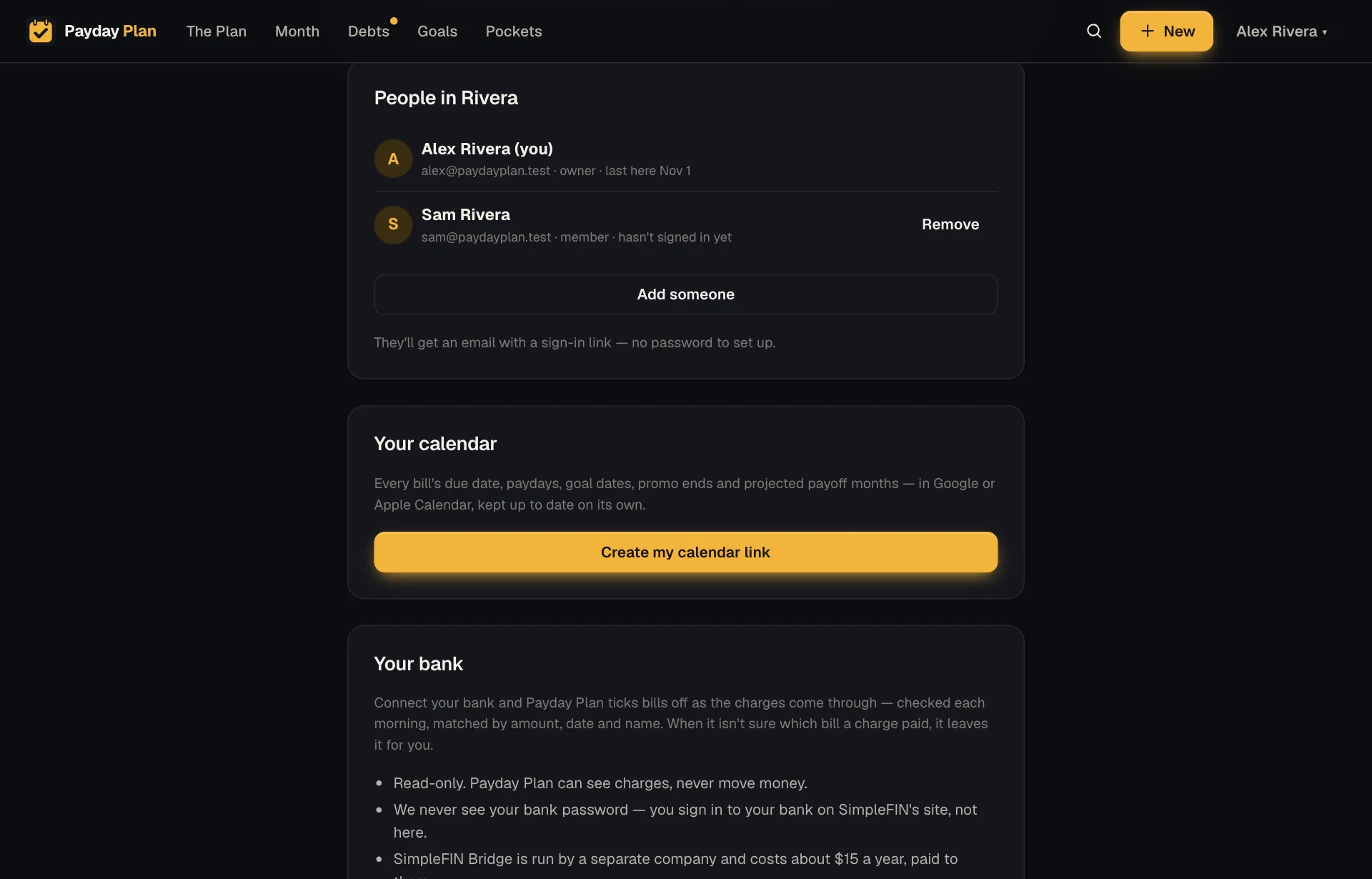
Invite your partner
In Settings, under People in your household, press Add your partner (once there are two of you, it says Add someone) and enter their name and email. They get a sign-in link by email. No password to set up, no app store, no account form with fourteen fields. They click the link and they're in the same plan you are.
(Passwords are still there if either of you prefers one.)
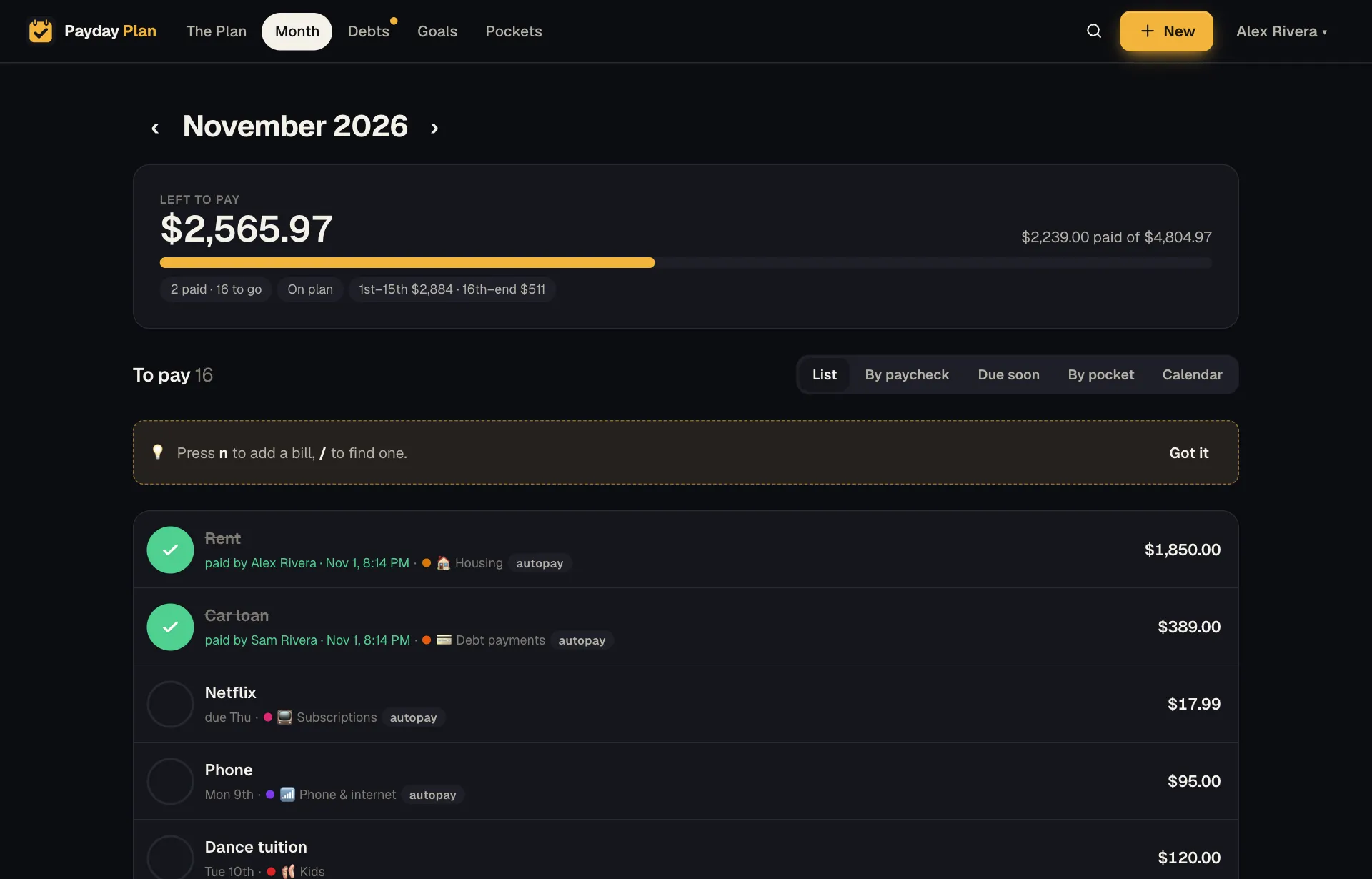
Every tick says who did it
When a bill is ticked on the Month page, it shows who ticked it and when, as in “paid by Sam Rivera · Nov 1, 7:47 PM”. When the bank connection or autopay ticking does it, it's marked as automatic. So the question "did this get paid?" has an answer, and so does "by whom?"
Partner pings
Turn on push notifications (Settings → On your phone → Turn on), and with When someone else in the household pays or changes something ticked, you'll hear when the other person ticks bills or saves changes. Not once per bill. Payday Plan gathers a burst of activity into a single notification:
Jeff paid Netflix, Electric and Water.
One ping for a Sunday-evening bill session, not a dozen.
The Activity log
The Activity page (in the menu under your name, or under More on a phone) lists who changed what, and when. Raised the grocery pocket? Added a bill? Changed the mortgage amount after the escrow letter? It's there, with a name next to it.
It isn't there to keep score. It's there so that when a number looks different, you can see why without starting a conversation with "did you change something?"
The other person's ticks just appear
Payday Plan quietly refreshes pages when you come back to the tab, and the Month page also refreshes every minute. If your partner ticked the car payment from their phone while you had the Month page open on the laptop, it'll be ticked by the time you look again. Pull down to refresh on a phone if you're impatient.
Try it: Sit down together once at the start of the month, open the Month page on two devices, and split the bills between you. Watch each other's ticks show up.
Undo, everywhere
Two people editing one plan will occasionally step on each other. So almost everything can be taken back:
- Ticks have an Undo right there, and can be un-ticked any time. If a bill pays a debt, un-ticking puts back exactly what it took off the balance.
- Plain-words changes have Undo all, which reverses the whole batch for 24 hours.
- Automatic ticks from autopay or the bank can be un-ticked by either of you.
Decisions for both of you
Some things deserve two people's attention:
- When a debt is paid off, the prompt about where its freed payment goes appears for both adults.
- When a 0% promotion is about to end, both adults get the email, 60, 30 and 7 days ahead.
- The Monday digest goes to each of you who asks for it.
Same plan, your own settings
You share the plan, but notifications are personal. Each of you chooses your own push notifications, reminder emails and Monday digest. One of you might want every ping. The other might want the Monday email and nothing else. Both are fine.