Nobody signs up for $1,500 a year of subscriptions. You sign up for $8 here and $11 there, a free trial you meant to cancel, an annual plan that seemed like a good deal eleven months ago. Each one is too small to think about. Together, they're a utility bill nobody planned for.
The good news is that they're also among the easiest costs to cut, because cutting most of them changes nothing about your day. You just need to see them all at once. Fifteen minutes, three steps.
Minutes 0 to 5: find them
Subscriptions hide in a few predictable places. Check each:
- Your last two card and bank statements. Two, because some things bill every other month or on odd dates. Look for anything that repeats.
- Your phone's app store subscriptions page. Apple and Google both list active subscriptions in account settings. These are the ones most often forgotten, because they never appear under a name you recognise on a statement.
- Your email. Search for "renewal", "receipt" and "your subscription". This is where annual plans turn up.
- Your partner's cards. If you share the household money, the audit covers both of you.
Don't decide anything yet. Just list.
Minutes 5 to 10: price them by the year
Write each one down with its monthly cost and its yearly cost. For annual plans, divide by 12 to get the monthly figure. For monthly ones, multiply by 12.
The yearly number is the important one. $11 a month sounds like nothing. $132 a year sounds like a decision.
Also note the renewal date for anything billed annually, and the end date of any free trial.
Minutes 10 to 15: decide
For each line, choose one of four answers:
- Keep. You use it, and it's worth the yearly number.
- Rotate. Useful, but not all at once. Streaming is the classic case: keep one, watch what you want, cancel, switch to the next.
- Downgrade. A cheaper tier, a family plan you can share, an annual plan instead of monthly if you're certain you'll keep it.
- Cancel. You forgot you had it, or you wouldn't sign up for it today at this price.
That last test is the useful one. Not "would I miss it?" (you'll say yes to everything) but "if I didn't have this, would I sign up for it today at this price?"
A worked example
A made-up household runs the audit and finds:
| Subscription | Monthly | Yearly | Decision |
|---|---|---|---|
| Streaming service A | $18 | $216 | Keep |
| Streaming service B | $11 | $132 | Rotate |
| Streaming service C | $8 | $96 | Rotate |
| Music | $11 | $132 | Keep |
| Cloud storage | $3 | $36 | Keep |
| Gym (unused since spring) | $45 | $540 | Cancel |
| Photo app (annual, $60) | $5 | $60 | Keep |
| News site | $15 | $180 | Cancel |
| Kids' game | $7 | $84 | Keep |
| Total | $123 | $1,476 |
Cancelling the gym and the news site saves $60 a month. Rotating streaming B and C (only one of the three services on at a time, mostly A) saves another $19 a month most months. That's around $79 a month, or roughly $950 over a year, and the household watches as much television as before.
The gym is the instructive one. It's rarely the small charges that matter most. It's the one larger charge that stopped being used and nobody wanted to admit it.
Set cancel-by dates
The best time to cancel a free trial is the day you start it. The second best is a reminder a day before it ends.
For every trial and every annual renewal you've decided to review, write down a cancel-by date: the last day you can cancel without being charged again. Put it on a calendar with a reminder the day before. Annual renewals are where a lot of money quietly goes, because the charge is big, rare and easy to forget.
Watch for price rises
Subscriptions go up. Usually by a dollar or two, often announced in an email nobody reads. Once a year, check whether each one still costs what you wrote down. Then ask the "would I sign up today?" question again.
Make it a habit, not an event
A full audit once or twice a year is plenty. In between, a light routine keeps things from piling up again:
- Add any new subscription to your list the day you start it, with its yearly cost.
- Give every free trial a cancel-by date immediately.
- When a price goes up, update it, and decide whether it still earns its place.
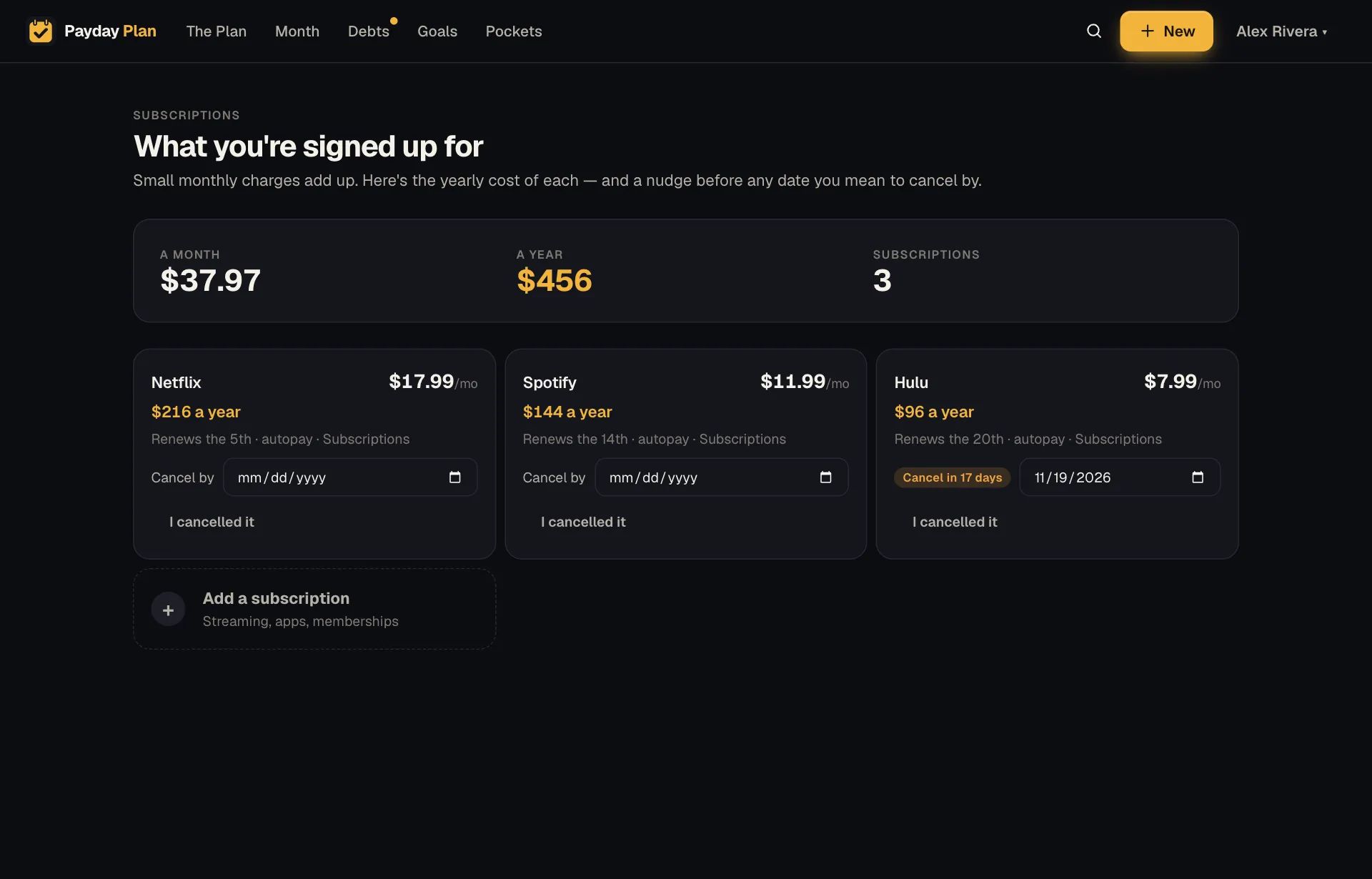
Try it: Payday Plan's Subscriptions page lists every subscription with its monthly and yearly cost and renewal day. Give one a cancel-by date and you get a reminder the day before. The Import transactions page reads a transactions CSV from your bank and points out recurring charges that aren't in your plan yet. The file is read once and nothing from it is stored.
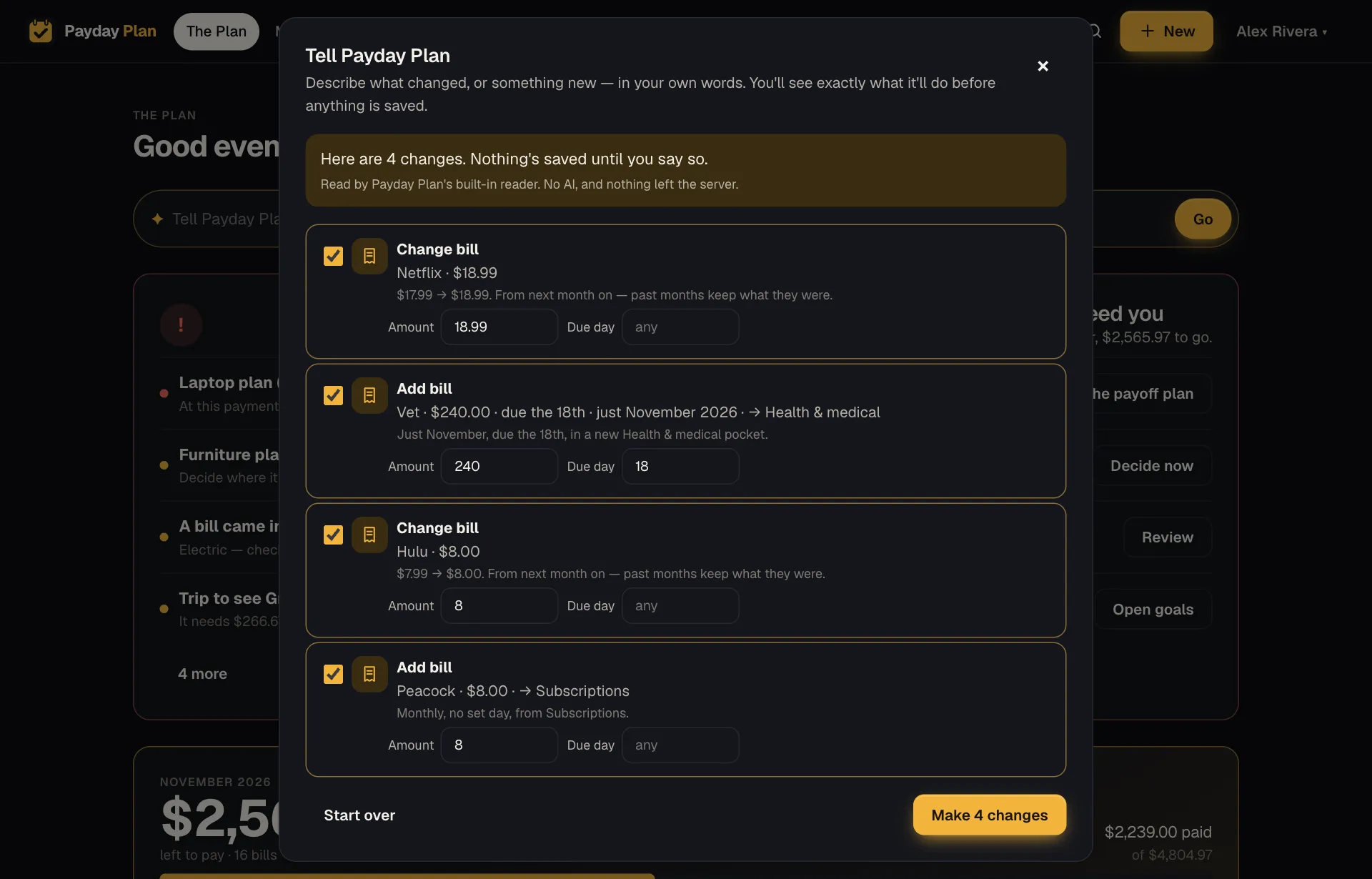
Adding several at once takes a sentence:
Hulu and Peacock are $8 each
And when one goes up, say so:
Netflix is $18 now